

Finding Game Files
Source 2 games keep almost all of their files in VPK packages. This guide shows which package to open and how to find a file in it.
How a Game Folder Is Laid Out
A game installs into steamapps/common/<game>/ in your Steam library, with its files in a game/ folder:
game/<mod>/pak01_dir.vpk, such asgame/csgo/pak01_dir.vpk, is the main package, with the models, materials, sounds and almost everything else.game/<mod>/maps/has one package per map, such asgame/csgo/maps/de_dust2.vpk.- Folders ending in
_addonshold addons, such as those made with the Workshop Tools.
Workshop items are in steamapps/workshop/content/<appid>/<item id>/, and the Explorer lists those that have a VPK. SteamVR Home is in SteamVR/tools/steamvr_environments/game/steamtours/.
| Game | App ID | Install folder | Game folder |
|---|---|---|---|
| Counter-Strike 2 | 730 | Counter-Strike Global Offensive | csgo |
| Dota 2 | 570 | dota 2 beta | dota |
| Deadlock | 1422450 | Deadlock | citadel |
| Half-Life: Alyx | 546560 | Half-Life Alyx | hlvr |
| Aperture Desk Job | 1902490 | Aperture Desk Job | steampal |
| Artifact Classic | 583950 | Artifact | dcg |
| Artifact Foundry | 1269260 | Artifact 2.0 | dcg |
| Dota Underlords | 1046930 | Underlords | dac |
In vpk: links and on the command line, steam:<appid>/ stands for the install folder, such as steam:730/game/csgo/pak01_dir.vpk.
Where Files Are in a Package
Most games use the same top-level folders. The examples are from Dota 2:
| Folder | What it holds | Example |
|---|---|---|
models/ | Models | models/heroes/juggernaut/ |
materials/ | Materials and textures | materials/models/heroes/juggernaut/ |
particles/ | Particle systems | particles/units/heroes/hero_juggernaut/ |
sounds/ | Sounds | sounds/vo/juggernaut/ |
soundevents/ | Sound events, which define how sounds play | soundevents/game_sounds_heroes/ |
panorama/ | The user interface and its images | panorama/images/heroes/ |
scripts/ | Game data | scripts/npc/ |
resource/ | Localization text | resource/localization/ |
The game pages, such as Counter-Strike 2, list the folders of each game.
A map package holds the compiled map, maps/<map>.vmap_c, and a maps/<map>/ folder with its world, lighting and entities. Its materials and textures come from the main package.
Finding a Package in the Explorer
The Explorer tab lists your installed Steam games that have VPK packages, with those packages and their workshop items. Double-click a package to open it.
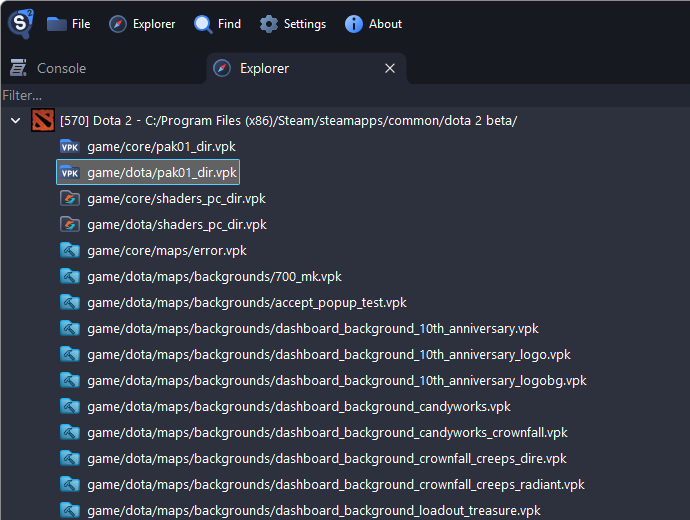
Type in the filter box at the top to show only the packages whose path contains the text.
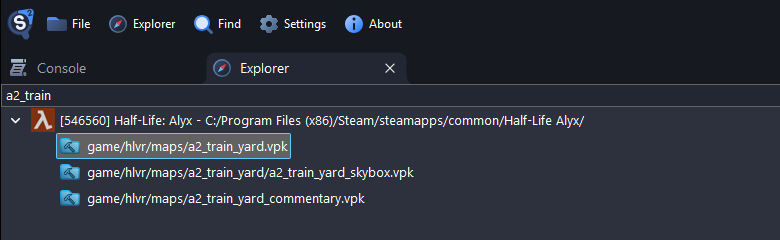
Browsing a Package
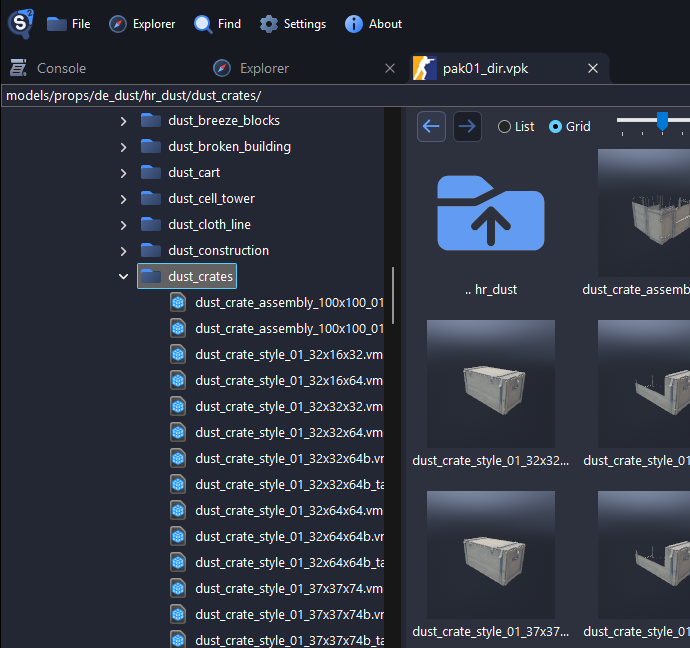
A package opens in its own tab, with a folder tree on the left and the files of the selected folder on the right.
- Type a path into the box above the tree, such as
models/props/de_dust/hr_dust/dust_crates/, and press Enter to go there. Paths are case-sensitive. - The arrow buttons, and the back and forward buttons of your mouse, go back and forward.
- List shows names, sizes and types, and Grid shows thumbnails.
Searching a Package
Press Ctrl+F in a package tab to search the whole package:
- File Name (Partial Match) finds files whose name contains the text.
- File Name (Exact Match) finds files with exactly that name.
- File Full Path finds files whose path contains the text.
- Regex matches a regular expression against file names, such as
^weapon_.*\.vmdl_c$. - File Contents (Case Sensitive) finds files that contain the text. It reads every file, so it is slower.
- File Contents Hex Bytes finds files that contain the bytes.
The results do not show the folder of a file. Right-click a result to select it in the tree.
References
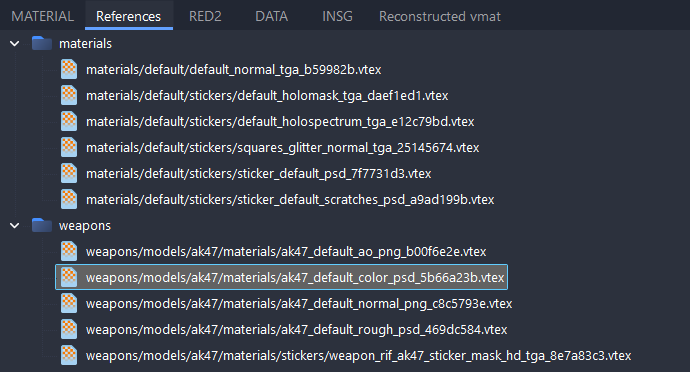
The References tab of an open file lists the files it uses, such as the materials of a model:
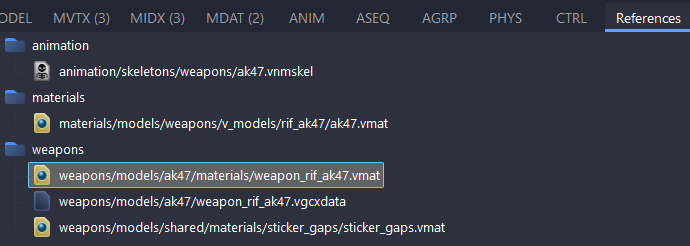
Double-click a reference to open it, or press Ctrl+C to copy its path. The References tab of a material lists its textures:
Files That Use a File
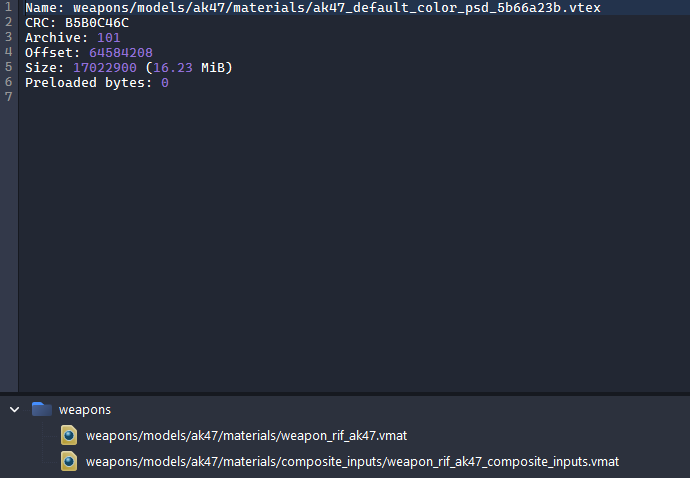
To see which files use a file, right-click it and choose View asset info.
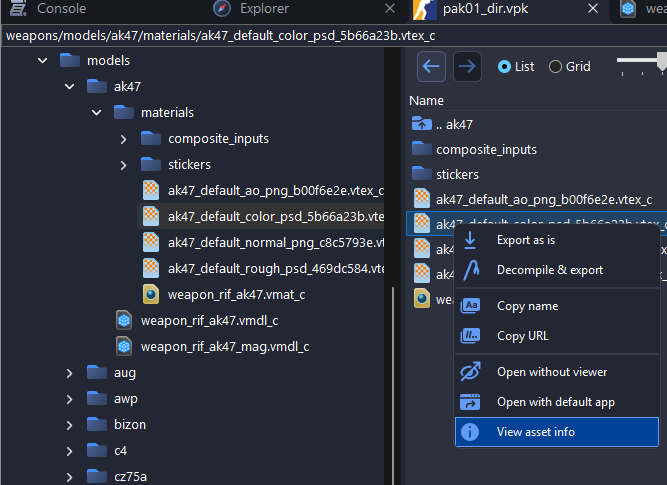
The files that use it are listed at the lower left. This list is available in Counter-Strike 2, Dota 2, Half-Life: Alyx and SteamVR Home.
Which Package a File Is In
The bottom left corner of the window shows the file in the active tab and the package it was opened from.

Right-click a file and choose Copy URL to copy a vpk: link with the package, or Copy name for only its path.
If a model or material shows up without its textures, see Game Search Paths.