

Extract Dota 2 Hero Models, Cosmetics and Files
This page shows where Dota 2 keeps its files, and how to find a hero or an item. To open a package and browse it, see Finding Game Files.
Where the Files Are
Dota 2 installs into steamapps/common/dota 2 beta/, with its files in game/dota/.
| What | Where |
|---|---|
| Heroes, items, particles, sounds, scripts | game/dota/pak01_dir.vpk |
| The map | game/dota/maps/dota.vpk |
| Custom games from the Workshop | steamapps/workshop/content/570/<item id>/ |
What's Inside pak01_dir.vpk
| Files | Path inside the package |
|---|---|
| Hero models | models/heroes/<hero>/ |
| Cosmetic items | models/items/<hero>/<item>/ |
| Couriers | models/courier/ and models/items/courier/ |
| Creeps and Roshan | models/creeps/ |
| Hero particles | particles/units/heroes/hero_<hero>/ |
| Cosmetic particles | particles/econ/items/<hero>/ |
| Hero icons | panorama/images/heroes/icons/ |
| Hero images | panorama/images/heroes/ and its selection/ folder |
| Item icons | panorama/images/econ/items/<hero>/ |
| Loading screens | panorama/images/loadingscreens/ |
| Voice lines | sounds/vo/<hero>/ |
| Announcers | sounds/vo/announcer/ and sounds/vo/announcer_dlc_<name>/ |
| Music | sounds/music/<pack>/ |
| Hero scripts | scripts/npc/heroes/ |
| Item definitions | scripts/items/items_game.txt |
| Hero names | resource/localization/abilities_english.txt |
| Item names | resource/localization/items_english.txt |
Hero Names
Each hero has an internal name, such as nevermore for Shadow Fiend, and its folders can use other spellings:
| Hero | Internal name | Model folder in models/heroes/ | Voice lines in sounds/vo/ |
|---|---|---|---|
| Clockwerk | rattletrap | rattletrap | rattletrap |
| Io | wisp | wisp | wisp |
| Shadow Fiend | nevermore | shadow_fiend | nevermore |
| Templar Assassin | templar_assassin | lanaya | templar_assassin |
| Wraith King | skeleton_king | wraith_king | skeleton_king |
| Zeus | zuus | zeus | zuus |
Finding a Hero's Model
For a hero not in the table:
Open
resource/localization/abilities_english.txtand search for the hero's name. Its id is on the left, such asnpc_dota_hero_nevermorefor Shadow Fiend.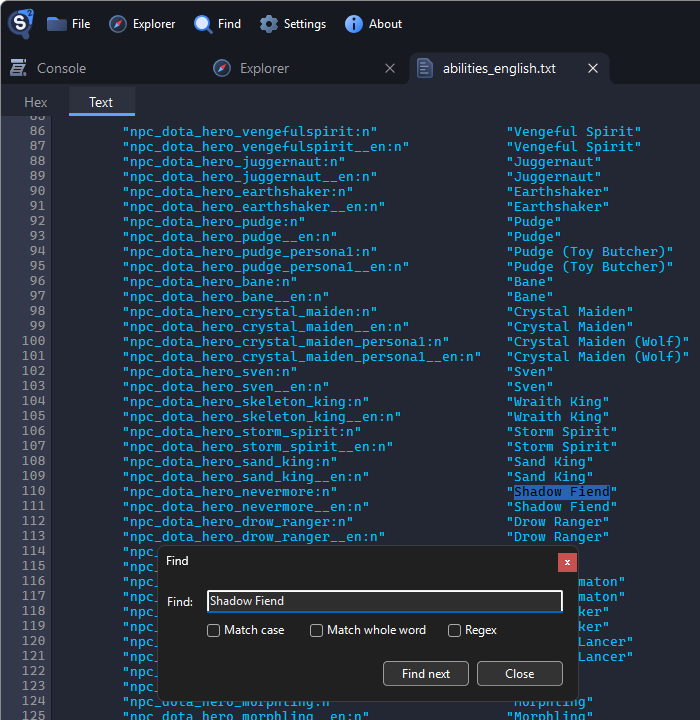
Open the hero's script, such as
scripts/npc/heroes/npc_dota_hero_nevermore.txt. ItsModelline is the hero's model.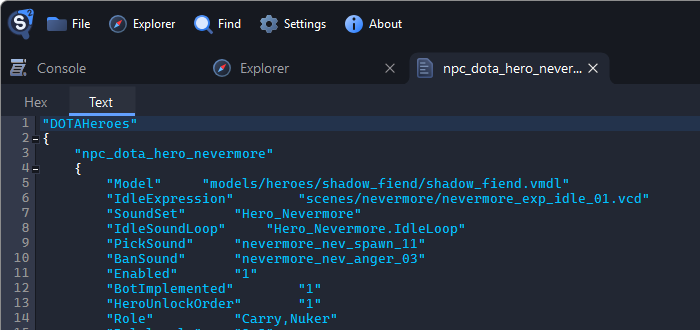
Type the model's folder, such as
models/heroes/shadow_fiend, into the box above the tree and press Enter.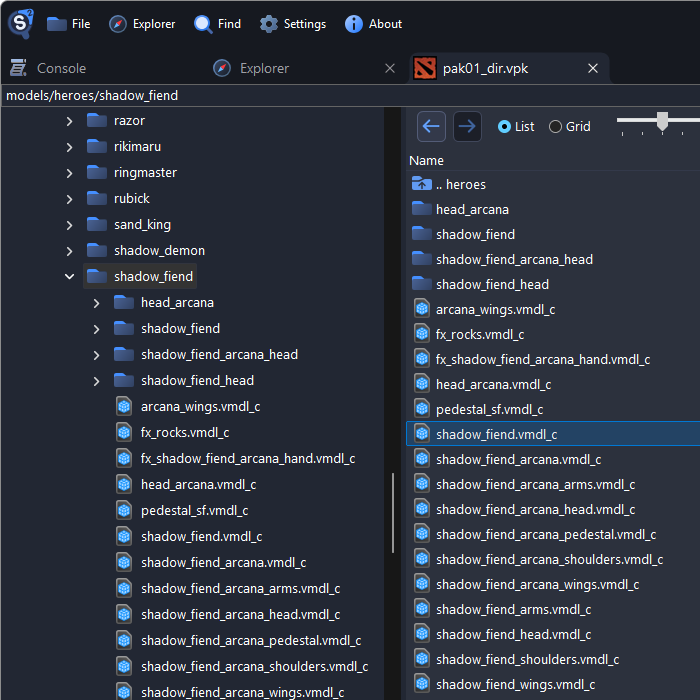
Hero Models and Their Parts
Most heroes wear their default items as separate models in the hero's folder, such as axe_armor.vmdl_c and axe_weapon.vmdl_c next to axe.vmdl_c.
To use a hero in Blender, see Exporting Models and Posing Characters in Blender. Export the parts too, and attach them as described in Attaching Items in Blender.
Cosmetic Items
Cosmetic items are in models/items/<hero>/, one folder per item. To find an item by its name:
Open
scripts/items/items_game.txtand search for the item's name, such asCarnage of the Endless Hunt - Belt.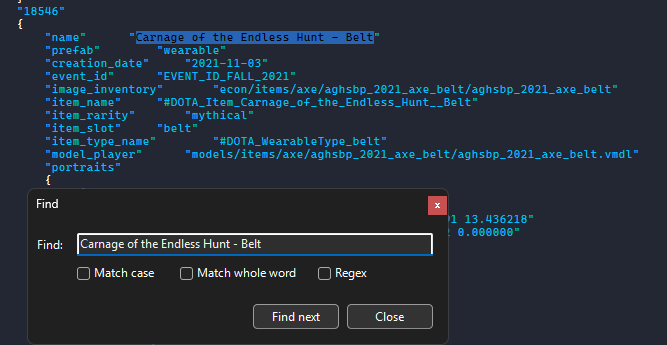
Its
model_playerline is the model. Type its folder into the box above the tree and press Enter.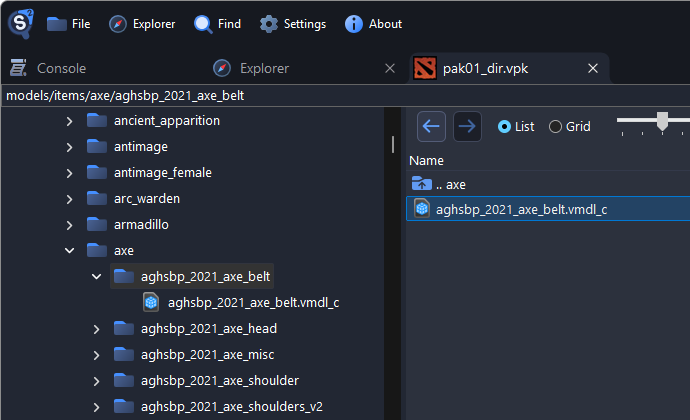
The image_inventory line names the item's icon in panorama/images/.
Attaching Items in Blender
Each hero, part and item has its own armature. To make an item follow the hero:
Import the hero and the item into the same scene.
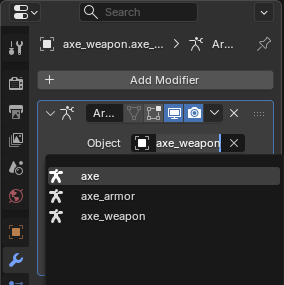
Select the item's mesh, and in its Armature modifier (the wrench), set Object to the hero's armature.
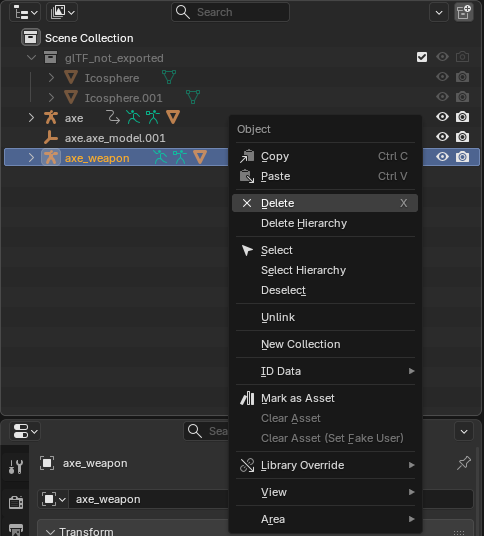
Delete the item's own armature.
The item now moves with the hero. Bone names must match exactly, and some items name bones in lowercase, such as clavicle_r for Axe's clavicle_R. Rename those under Vertex Groups in the Object Data properties.
Particles
Hero effects are in particles/units/heroes/hero_<hero>/, and cosmetic effects in particles/econ/items/<hero>/. Double-click a .vpcf_c file to preview it.
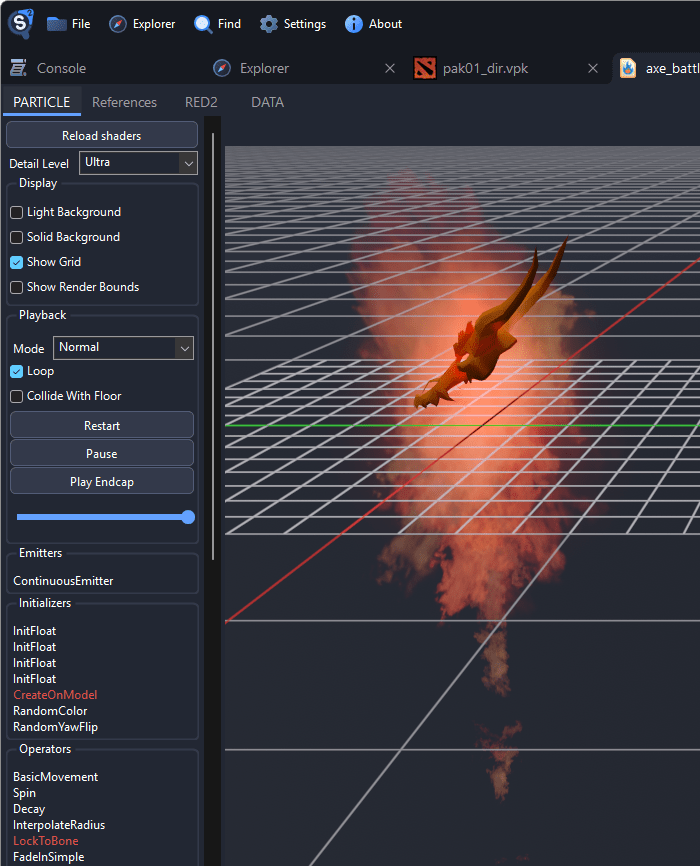
Functions in red are not simulated by the viewer, so the preview can differ from the game.
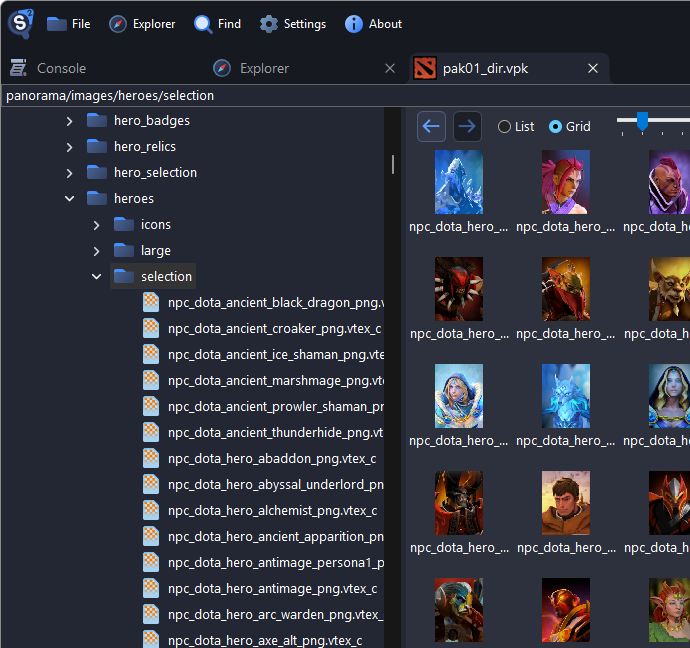
Icons, Portraits and Loading Screens
- Hero icons are in
panorama/images/heroes/icons/, wide images inpanorama/images/heroes/, and tall portraits inpanorama/images/heroes/selection/. - Item icons are in
panorama/images/econ/items/<hero>/. - Loading screens are in
panorama/images/loadingscreens/.
The Grid view shows them as thumbnails. To save them as PNG, see Exporting Textures.
Voice Lines, Announcers and Music
Voice lines are in sounds/vo/<hero>/, announcers in sounds/vo/announcer/ and folders such as sounds/vo/announcer_dlc_glados/, and music in sounds/music/. To save sounds, see Exporting Sounds.
Maps
The map is maps/dota.vmap_c in game/dota/maps/dota.vpk. The other dota packages hold older versions and seasonal terrains. See Exporting Maps.