

How to Open, Extract and Edit VPK Files
VPK (Valve Pak) is the archive format Source and Source 2 games pack their files into. Large packages are split into a pak01_dir.vpk index and numbered chunk files such as pak01_000.vpk. Source 2 Viewer can open, extract, create and edit them.
Browsing VPK Archives
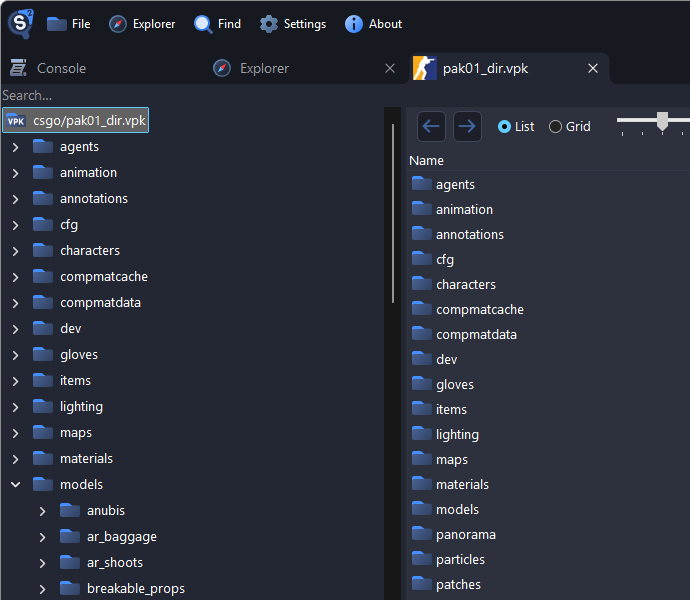
- Open a VPK with File > Open or from the Explorer. For a split package, open the
_dir.vpk; its chunk files are read automatically. - VPKs inside other VPKs, such as maps in workshop items, open directly.
- To check a package, right-click the root and select Verify package contents, or use
--vpk_verify.
Extracting Files
Right-click a file, a folder, or the root of the tree for the whole VPK, then choose:
- Export as is to save it unchanged
- Decompile & export to convert it to formats you can edit
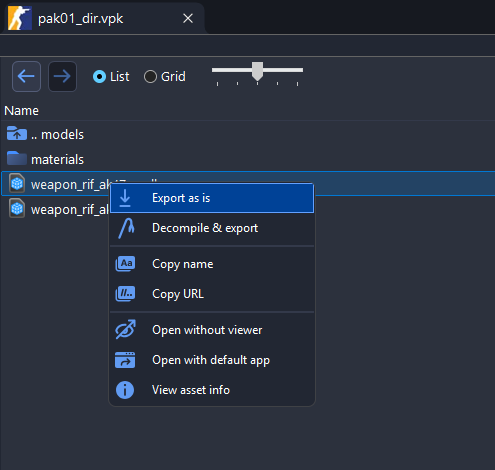
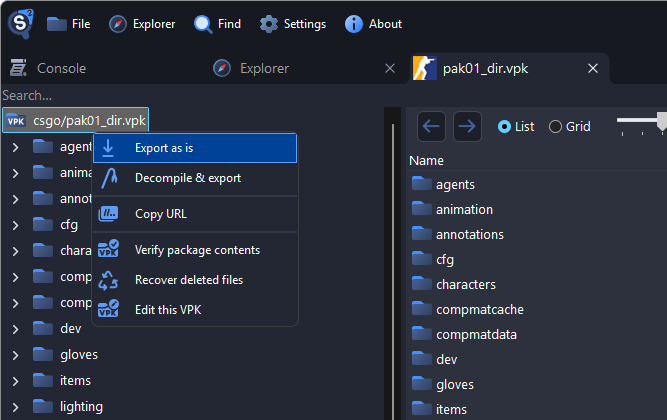
Decompile & export on a folder or the whole VPK first asks which format to use for each file type, see Getting Started.
Using the CLI
To extract a whole VPK from a script:
Source2Viewer-CLI -i "pak01_dir.vpk" -o "output_folder/"Add -d to decompile the files:
Source2Viewer-CLI -i "pak01_dir.vpk" -o "output_folder/" -dCreating and Editing VPK Archives
In the File menu, choose:
- Create VPK to start an empty VPK
- Create VPK from folder to pack everything inside a folder
- Edit VPK to change an existing VPK
You can also right-click the root of an open VPK and select Edit this VPK.

Editing a signed VPK first warns that saving removes the signature.
Right-click in the editing tab to add files and folders, create folders, or rename and remove them. Paths are lowercased.

- Add existing folder adds the folder itself, not just its contents, and you can pick several.
- Adding a file that already exists asks whether to Replace or Skip it.
- Renaming a folder to the name of an existing one asks whether to merge them.
- Removing does not ask for confirmation.
- Empty folders are not saved.
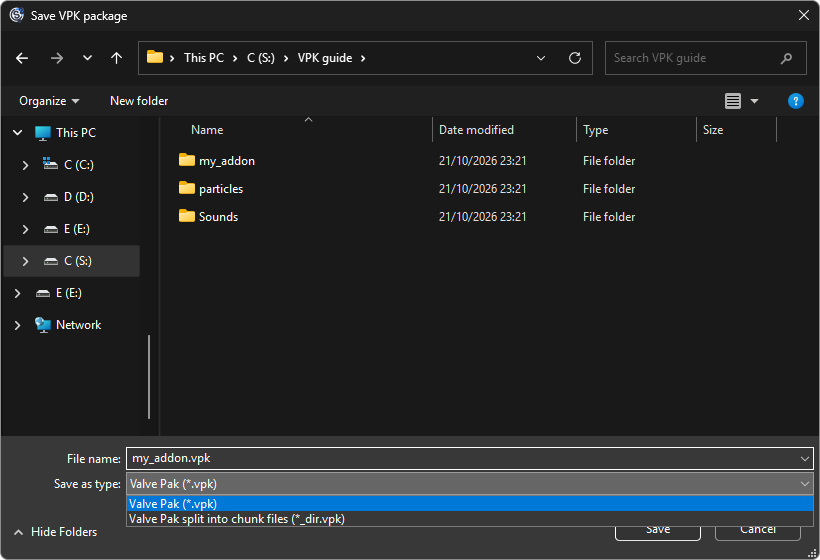
Press Ctrl+S, or right-click and select Save or Save as. Tabs with unsaved changes show
*in their title. To split the VPK into chunk files, pick Valve Pak split into chunk files as the type and name it*_dir.vpk.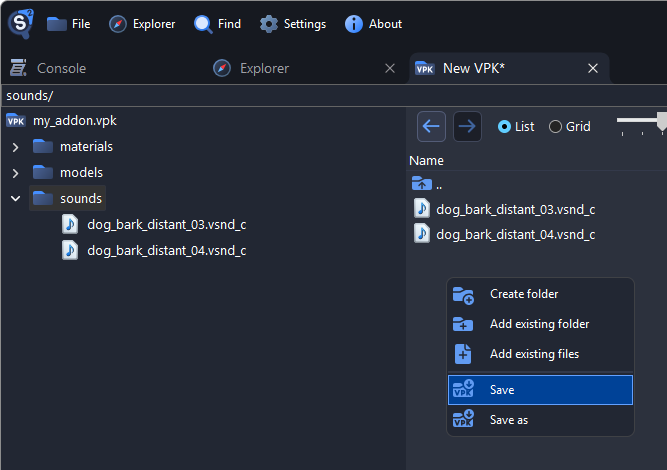
Using the CLI
To pack a folder into a VPK from a script:
Source2Viewer-CLI -i "my_addon" --vpk_create "my_addon.vpk"To split it into chunk files of 100 MiB, name it *_dir.vpk:
Source2Viewer-CLI -i "my_addon" --vpk_create "my_addon_dir.vpk" --vpk_create_chunk_size 100See the command-line utility for more.
Good to Know
- Saving removes the VPK's signature, so games that check signatures won't load it.
- A single-file VPK must stay under 2 GiB; save bigger ones split into chunk files.
- In a split VPK, added files go into chunk files right away and stay there even if you don't save.
Recovering Deleted Files
Chunk files can still contain files that a game update removed or replaced. Recovering them lets you compare assets across updates.
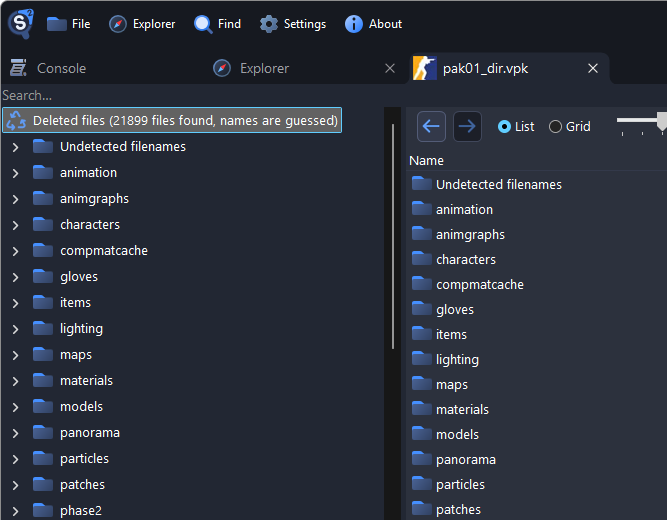
Open a split package such as
pak01_dir.vpk. Single-file VPKs don't have this option.Right-click the root and select Recover deleted files.

Recovered files appear under Deleted files; files whose names can't be guessed are under Undetected filenames.
WARNING
Recovered files can be incomplete, corrupted or from older game versions.
VPK File Format
Source 2 Viewer uses the ValvePak library to read and write VPKs, which you can also use in your own programs. The Source 2 Wiki describes the format in detail.